The Developer tab
This is for translating your own game or app. Bring a strings file or your game's project folder, pick the languages, and RuneTranslate creates one project per language. It's part of the Ultimate plan.
If you have a strings file
Open Developer
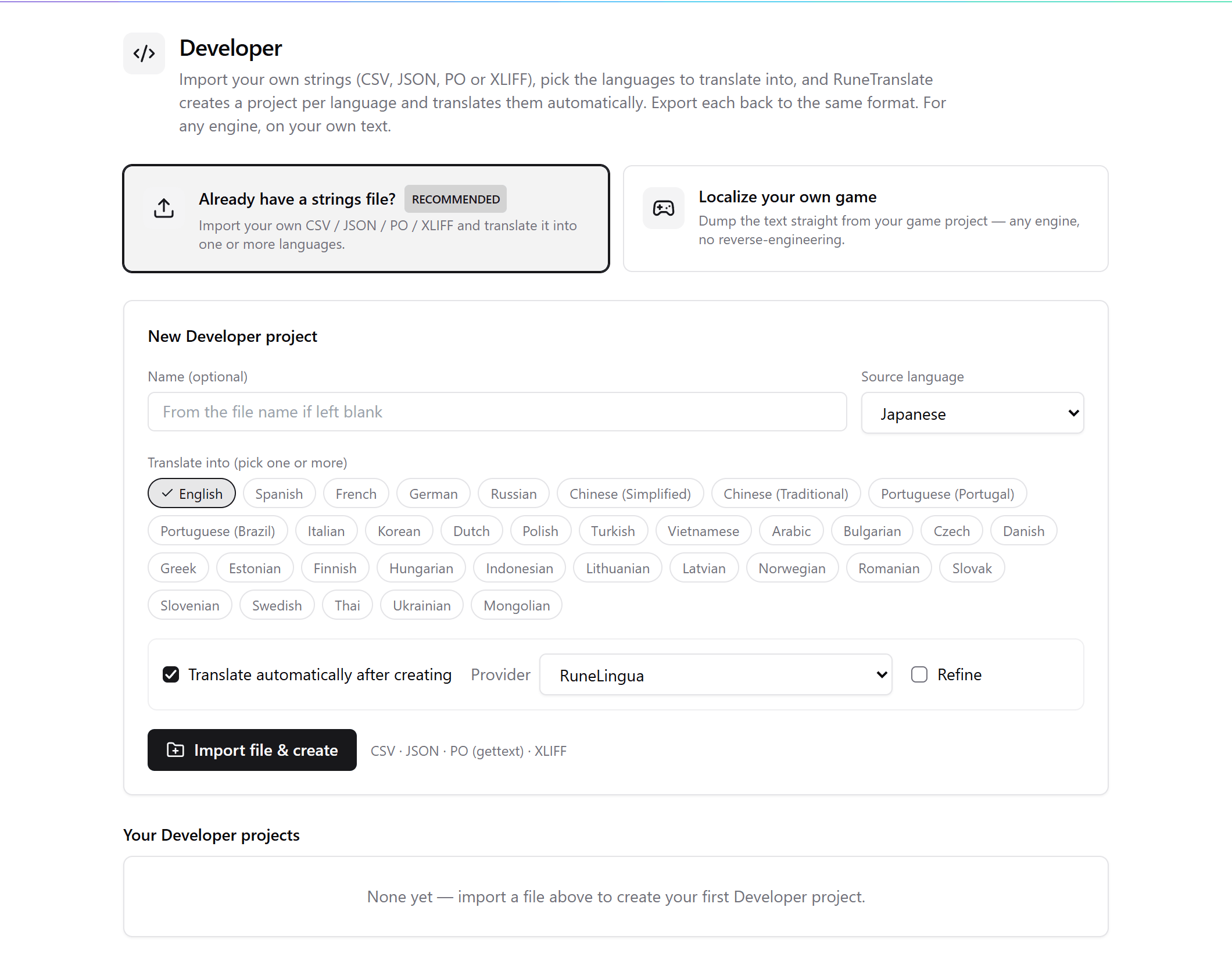
Click Developer at the top of the app, then Already have a strings file?
Fill in the details
Set Source language and pick one or more languages under Translate into. You can leave Name blank.
Translate automatically, if you like
Tick Translate automatically after creating and choose a translator.
Import
Click Import file & create and choose a CSV, JSON, PO or XLIFF file.
Each language becomes its own project under Your Developer projects, with Open, Export and Re-import. Export writes the same format you imported.
If you have your game's project folder
Localize your own game reads your readable source files in three steps: choose the folder, pick the languages, and create the projects. It works on source folders only, and refuses a packed build.
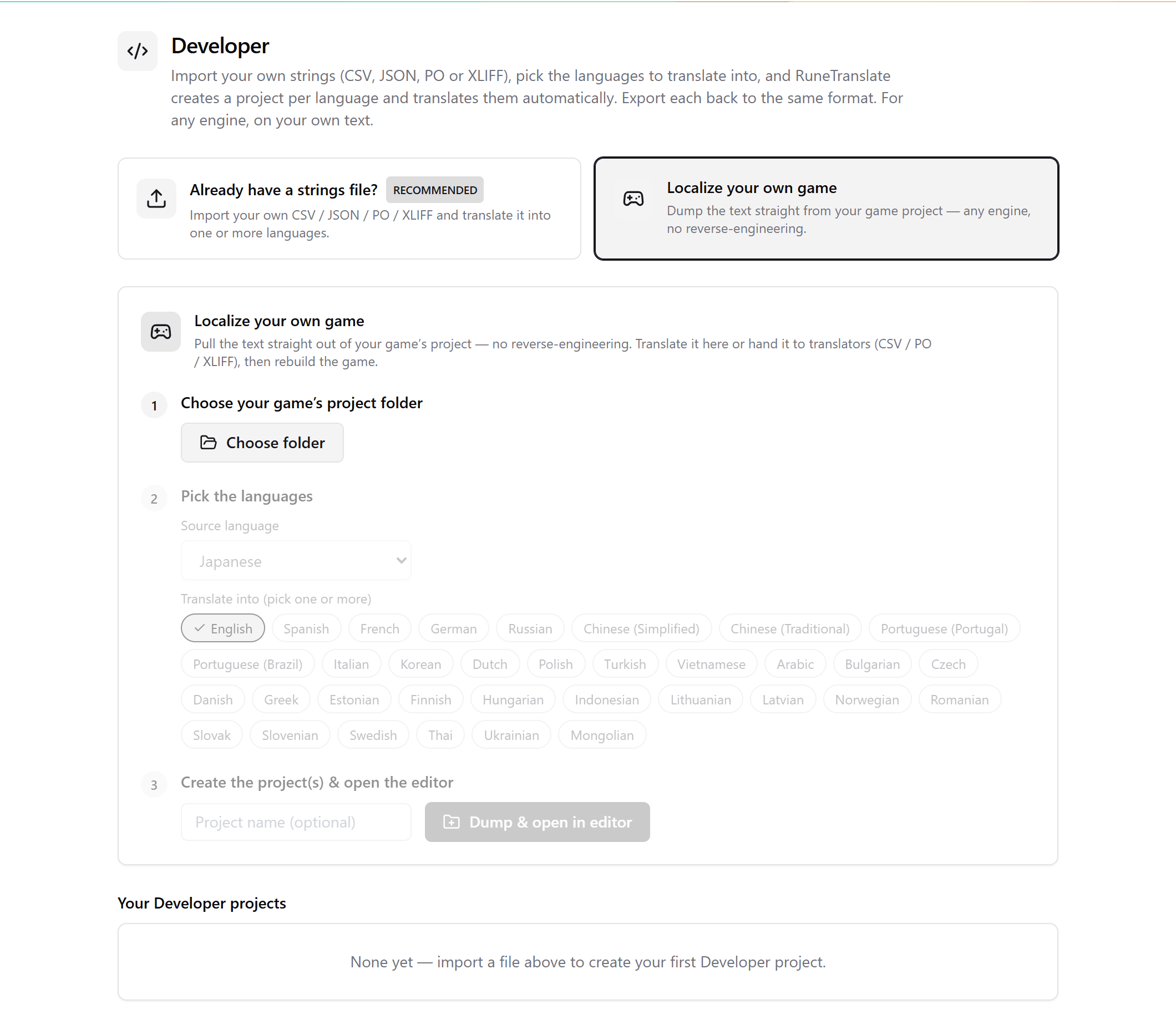
These are normal game projects, so they appear on the Translation Projects page, and Export rebuilds the game.
Supported: RPG Maker MV, MZ, XP and VX, Ren'Py, Wolf RPG, TyranoScript, NScripter, Godot, Unity, Bakin, SRPG Studio and Electron. For other engines, export a PO or CSV file from the engine's own tool and use the strings file route.
Project slots
Each language takes one project slot. The whole batch is checked first, and if it would go over your limit, nothing is created.
See also Strings export and the guide Translate your own game's strings.
Checked against RuneTranslate 1.4.6.
Still stuck?
Click Report at the top of the app to send us a ticket, or ask on our Discord. We read both.