The AI refiner: a second pass over your translations
The refiner is an optional second pass by an AI model over lines you've already translated. It also reads the lines around each one, so dialogue flows better. It's off by default and works on every plan.
Turn it on
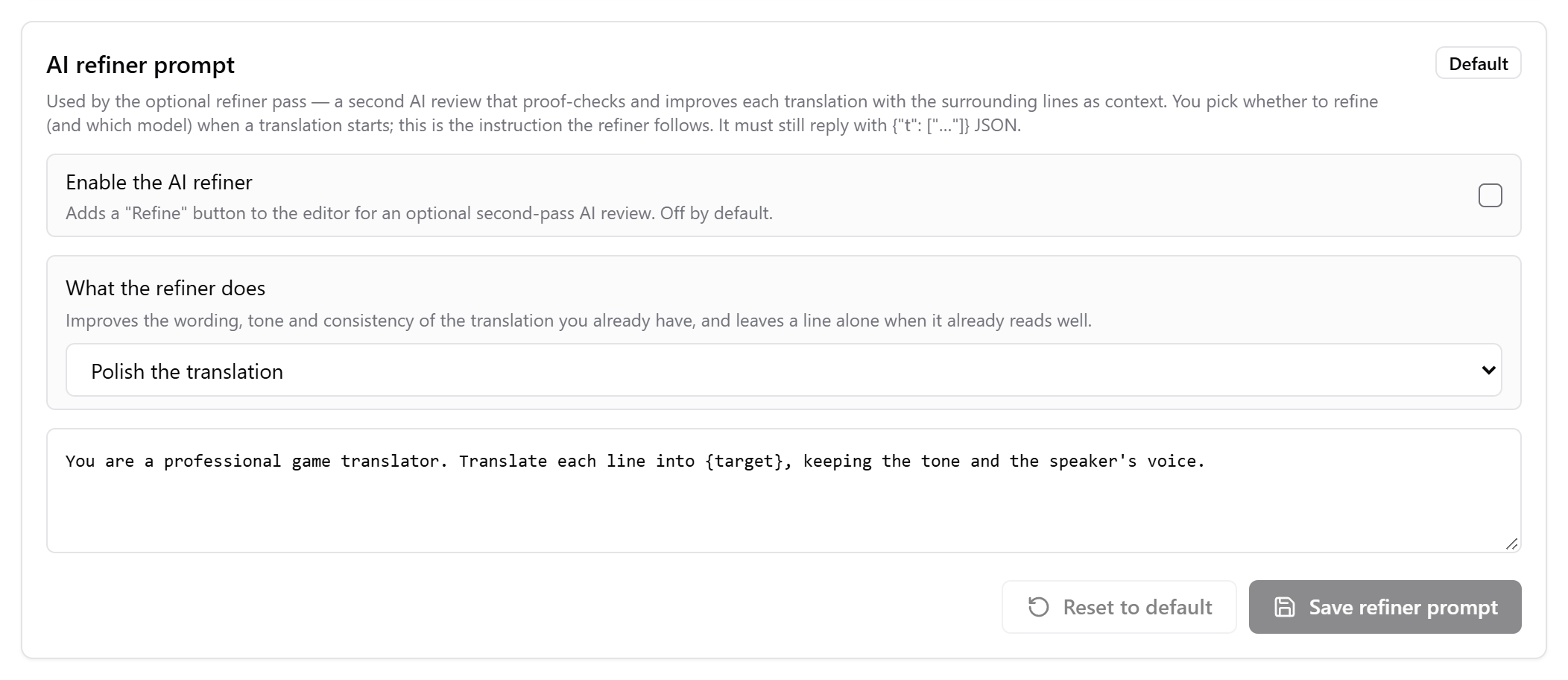
Go to Settings, Translation, scroll down to AI refiner prompt, and tick Enable the AI refiner.
Set up an AI translator
You need OpenAI, Anthropic, DeepSeek, OpenAI-Compatible API or Local Model, with your key or local model ready.
Click Refine
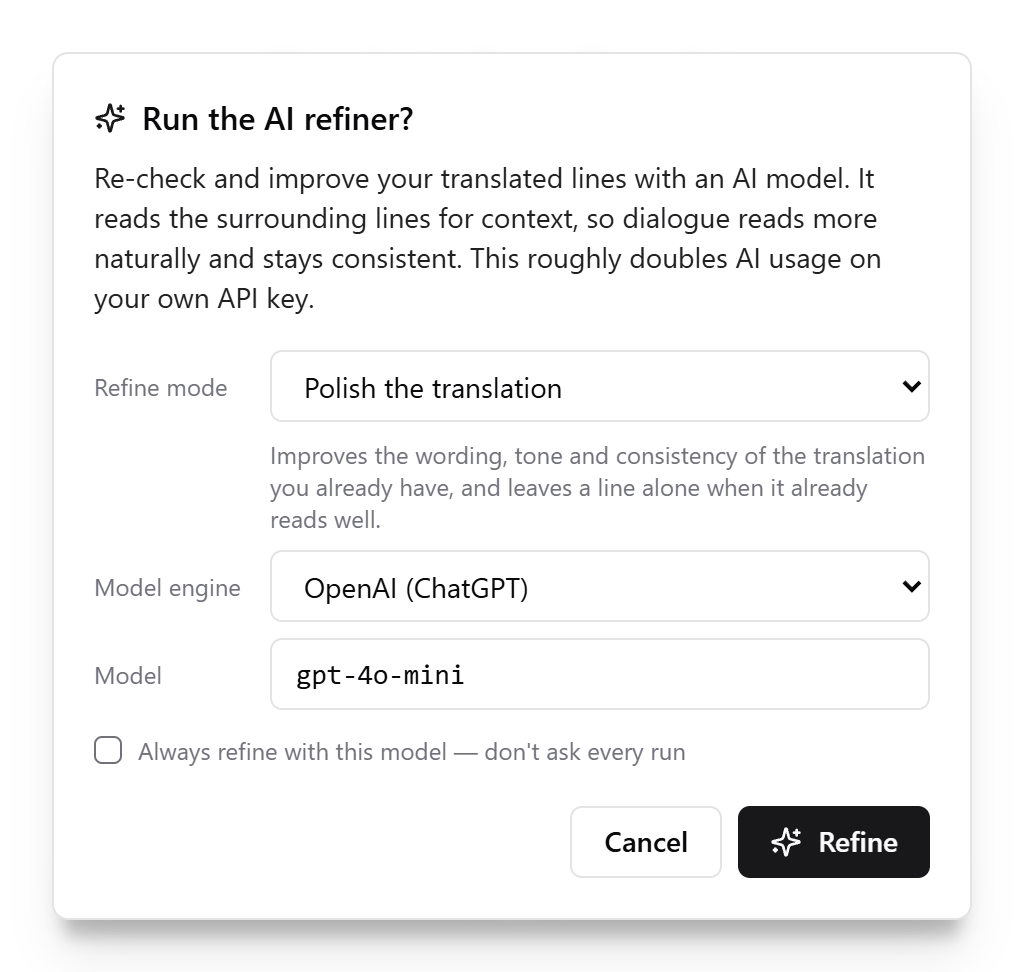
In the project editor, click Refine, choose the mode and model, and confirm.
If Refine is greyed out, hold your mouse over it to see why.
The two modes
| Mode | What it does |
|---|---|
| Polish the translation | Improves the wording, tone and consistency of what you have, and leaves a line alone when it already reads well. |
| Check against the source | Translates each line from the original itself, compares that with your translation and keeps whichever is more faithful. It costs a little more. |
What you get
- A Refined Translation column appears. That's the text you can edit and the text that gets exported. Translation then shows the first pass, read-only.
- Refine covers translated lines not refined yet. Lines you edited by hand are only refined if you right-click them.
- It roughly doubles AI usage on your own API key.
- To undo it, use More, Reset refined translations.
You can also right-click and use Refine this line or Refine selected. If you tick Always refine with this model, it starts by itself after each run. Ask each run in the settings card turns that off.
More in the guide: AI translation refiner.
Checked against RuneTranslate 1.4.6.
Still stuck?
Click Report at the top of the app to send us a ticket, or ask on our Discord. We read both.